#

amethyst

(11 articles)

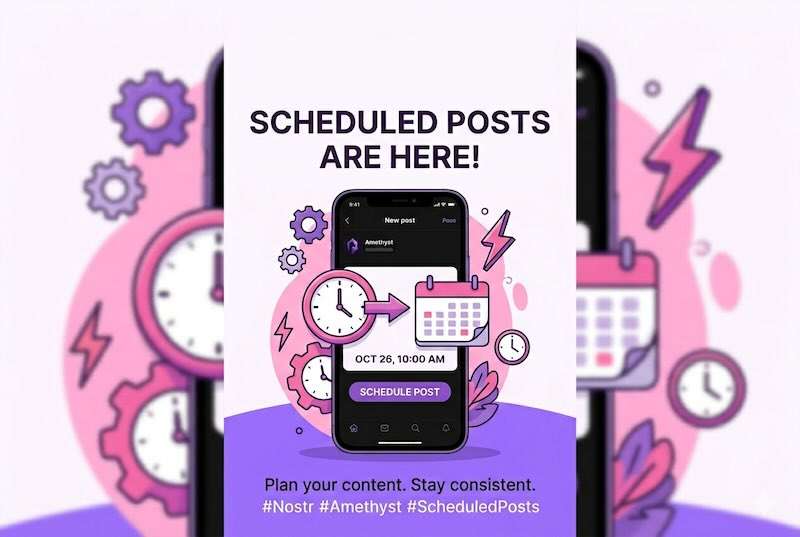
Schedule posts for later in Amethyst

There's no magic server in the cloud holding your post. **Your phone publishes it.** The scheduled note sits on your device until its moment arrives, and then *your* #amethyst, on *your* phone, wakes up and fires it off to the relays. ## Give your phone a fighting chance Because the publishing happens *on your device, in the background*, you want to make sure Android doesn't quietly murder the app the moment you lock your screen (it really, really wants to): - **Turn on "Always-on notifications."** This keeps a small background service alive so #amethyst can wake up on schedule and post even while the app is closed. Skip this and your post just waits, patiently, for you to open the app again. When you first schedule something without this on, the app gives you a friendly nudge and a shortcut straight to the right settings screen. - **Allow the app to run in the background** and exempt it from battery optimisation. A phone standing guard so it can post for you sips a little more power than one that isn't. Also, the phone has to be **on and online** (Wi-Fi or data) when the moment comes. Dead battery, airplane mode, deep in a tunnel? No post, yet. ## How to actually do it Compose a note like normal, but instead of hitting post, tap the **schedule** (timer) button in the composer's bottom row. Pick a time. Handy presets like **In one hour**, **Tomorrow morning**, and **Next Monday morning**, or punch in your own date and time. There's also a **Scheduled Posts** screen in the navigation where your queued notes live. ## About "9:00am sharp" This is **not** to-the-second posting. #amethyst checks for due posts on a **15-minutecycle**. So your note goes out at the next quarter-hour checkpoint *after* your chosen time. Great for "tomorrow morning," "this evening," "next Monday." Not the tool for a millisecond-perfect coordinated countdown. ## What if my phone was off or offline? Your post isn't lost, it's just fashionably late. The absolute worst case is this: **the next time you open #amethyst with a working internet connection, any overdue scheduled posts get published. ## The whole thing in one breath Your phone posts it (not a server), so keep it on and online at posting time; switch on always-on notifications and allow background activity for the best shot (costs a little battery); expect ~15-minute, not minute-perfect, timing; and if you miss the window, it goes out next time you open #amethyst online. A genuine schedule-your-content tool, running entirely from the phone in your pocket, with no servers, no subscriptions, and no handing over your keys.

Nostr Rookie TUT for beginners to integrate a Lightning Wallet seamlessly (NWC) into Amethyst and TOPUP with Breez or Alby+Troubleshoot Section.

**What is for ?** If u like someones content, u can tap on the lightning in Amethyst to give the creator for his effort to write an good post a small tip. Or someone u likes ur content could give u on the other hand a small tip for ur wallet. U are also able to create any invoice in an Post that someone could pay and therfore send it to ur Wallet over Nostr. Note: Under this Article there is also a little Troubleshoot Section to solve some issues which can occur. **What we need:** 1. Amethyst 2. Alby Account 3. A lightning wallet like Zeus ( Zeus acts like an remote interface for ur Alby Wallet) 4. An other Wallet to top Up the Alby Wallet ( and so also Amethyst because its linked to it) 1. Get Amethyst from favourite source ( https://github.com/vitorpamplona/amethyst) * Fdroid * Github * Playstore 2. Create an Alby Account * Got to the Albybsite (https://getalby.com/) * Click on "Create Account" and follow the instructions to signup with email 3. Download Zeus Wallet or any other Wallet Which support to integrate an LNDhub, like Blue Wallet or Wallet atoshi etc. *Get Zeus Wallet from u favourite Source ( https://zeusln.app/) * playstore * Fdroid ( need to add an repository) * Github **What we have to Do:** 1. Connect Amethyst with ur Alby Account and ur Alby Wallet over Wallet Connect Service 2. Connect Zeus ( or any else) with ur Alby Wallet Account 3. Top up Alby Wallet 4. Put ur alby LNUrl into Amethyst to recieve Zaps (satoshis). 1. Connect Amethyst to ur Wallet Connect Services. * Open ur Amethyst Wallet * Go to an random post * Tap Finger on an Zap Symbol ( looks like a lightning ) for a while https://cdn.nostr.build/i/5e09441b1aac813c3c987eb365883af74556365761bd146d54214cac1a62a876.jpg * A Screen Pops up * Tap on the Alby Symbol ( the Alien like one) * U will redirected to the Alby WCS Service site * Then Click on "Login To connect" * Login with Password,Use the same Data which u use before to create an alby account * Then u see the Alby Wallet Connect site https://cdn.nostr.build/i/7db19e95224610c006f4e161bcc5ee324953864a5c5db2cdda366499b0d93e20.jpg * Press the confirm button ( leave the other options blank) * Now u have to connect with the Wallet connect Service * Go to nwc.getalby.com * Login with the same Login Data from ur Alby Account * Tap "New connection" https://cdn.nostr.build/i/6bf6ac22fd1818b2026c87f2f1d14e54aad7a2a9e7e2e39913069f911cdb8595.jpg * Add a Connection Name ( for ex. "Amethyst") * Tap the Save Button * Normaly the Amethyst app is grabbing the Data correctly and the Screen switch to Amethyst (if not see for troubleshooting) 2. Connect Zeus ( or any else) with ur Alby Wallet Account * Get into ur Alby Account * Open the Alby Website ( https://getalby.com/) * Tap on the line Field Button in the upper Right. * Click on "Log In" * Log in with ur Alby Credentials which u have created before ( If u get an error see Troubleshooting) * Open the Zeus app * Tap on "Get Started" https://cdn.nostr.build/i/e7c2f533a850755af8d087537c3fa96296725aca7a7f103fb0e5785957ddadc2.jpg * Tap on "Connect Node" * Tap on + Sign * Select LNDHUB as Node Interface * Tap "SCAN LDNHUB QR" **but before u need the QR Code from ur Alby Account so**... * Open ur Alby Account * Go to the Wallet Section * Then tap an on "Show your Connection Credentials" * Then u can use the QR Code if u tap on "Scan LDNHUB QR" 3. Top UP Zeus Wallet * Install an other Wallet which is able to Pay with BTC/Fiat but convert recieved BTC into SATS ( Lightning) * U can Use the breez Wallet for it or its also possible over ur Alby Account or boltz.exchange TopUp-Breez: *supports Fiat and Btc ( CreditCard/Wire Transfer) Provider: moonpay.io https://cdn.nostr.build/i/28044739f874ce2b40436c6f18f471a6efff0bf58f235313414a966b531f02a0.jpg if u choose fiat ( buy bitcoin), then breez redirects to moonpay.io. In Moonpay u can buy btc over credit card or wire transfer TopUP-Alby: *support Fiat/btc ( CreditCard/Wire Transfer) Provider: moonpay.io *log into ur getalby account https://cdn.nostr.build/i/9af84c0dcf641d8c170510be8b1a1a3cb2d531cd609320a3b7e5809f0d8fcd72.jpg *go to payments https://cdn.nostr.build/i/ba00822ea7630c6e5537abd7396baad514b1d64921ec3abf9ecba3919fbb5748.jpg tap on "topup" https://cdn.nostr.build/i/cc62880ec4becda53a33efe6ad7b90347f716e7f669ef2f5d1d4f4e4bf004a69.jpg *then u can by bitcon https://cdn.nostr.build/i/1435eab084dc960f72035ba0255e3c647c0cc13011b4d506f3ff80edcba02baa.jpg * When u have some Sats in ur wallet , click on send and use the lnurl from alby ( u can find ur lnurl in ur Alby Account) for send some sats to ur alby wallet and then u can see it over the wallet app zeus, cause its linked with it and acts like an remote interface. 4. Add ur lnurl to Amethyst for receiving Zaps (SATS) * Open ur Amethyst app * Get into ur profile * Tap on the "Writing" Symbol this are the Settings for ur Profile in Amethyst https://cdn.nostr.build/i/45588dccdae1b42fed0a57410f2e3fdc8b40f975e6cec444d5ff83ea7ddc8999.jpg * u could see the point "LN-Adress" * Put ur alby lnurl ( like 123455@getalby.com) in it https://cdn.nostr.build/i/a71acaa64599a5e6102be457c5e0648cb845d25fbdcdb94b74eef85f2b4bdbef.png * Close the settings **Congratz now ure able Pay/Recieve with SATS over Lightning in Amethyst.** **Troubleshooting:** In some situations u have to make some workarounds to get things done cause some interconnections in the bitcoin environment has some issues. 1. Amethyst doesnt autofill the right credentials: * Connect to Alby wallet service * Use the QR code from ur Alby Account to insert ur Credentials. * Login into alby ( https://getalby.com/) * Go to Wallet * Click on the point "show your connection credentials" * Get back into amethyst app into the lightning settings ( long tap the lightning) besides the alby icon there is the qr one which u can use to insert ur connection credentials 2. Login into ur Alby Account doesnt work * u could use the option to send u an ontime link to ur email. * on the get.alby login page u can find this link. 3. Connection with the alby wallet connect service doesnt work. * Delete the connection an recreate a new one * To Delete go to: https://nwc.getalby.com/ and login * Go to Connection: Click on Disconnect * Get Back and Click the Button "Create a new Connection" * Create a one like u have done before for Amethyst *This tut was inspirated by the Alby Guide Site *